Stay current with our travel events coverage.
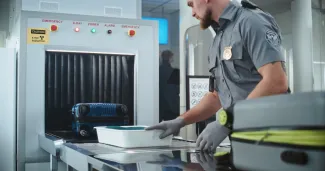
WASHINGTON, D.C. - The Transportation Security Administration's fancy new CT scanners, the ones that finally let us stop Tetris-packing our carry-ons at security, have a problem nobody mentioned in the press releases. While these machines are supposed to make checkpoint life easier by letting laptops and liquids stay buried in your bag, they're also quietly destroying certain types of electronics that digital nomads, long-term travelers, and anyone working remotely depend on to function. Since March 2022, TSA has been deploying advanced computed tomography scanners at U.S. airport checkpoints as part of a massive technology upgrade, according to Simple Flying. The agency awarded two orders totaling up to $781.2 million for base and full-size CT X-ray systems for airport checkpoints, marking a cornerstone investment in how carry-on baggage gets screened. These machines create three-dimensional images of everything inside your bag, theoretically improving threat detection while streamlining the whole shuffle-through-security dance we've all memorized. And yes, the convenience part is real. The 3D imaging capability means TSA officers can rotate and inspect bag contents from multiple angles without forcing passengers to unpack half their lives into grey bins. For anyone who's ever watched a laptop charger, toiletry bag, tablet, Kindle, phone, and water bottle spill across a checkpoint conveyor belt at 5 a.m., this upgrade sounds like a small miracle. But here's what they didn't advertise: these same scanners can damage or completely destroy certain electronics that weren't built to withstand that level of X-ray exposure.
What's Actually Getting Fried
The issue centers on hard drives, particularly older spinning mechanical drives found in external backup units, portable storage devices, and some older laptops. CT scanners use significantly higher radiation doses than traditional X-ray machines to generate those detailed 3D images. While modern solid-state drives (SSDs) and most consumer electronics handle the exposure fine, spinning hard drives with delicate read/write heads and magnetic platters can suffer data corruption, mechanical damage, or total failure after passing through CT scanners multiple times. For digital nomads carrying years of work backed up on external drives, photographers traveling with portable hard drives full of raw image files, or anyone who relies on older laptop models with mechanical drives, this isn't a theoretical risk. It's gear failure waiting to happen, often discovered only when you try to access critical files at your next destination and find corrupted data or a drive that won't spin up at all. TSA hasn't issued blanket warnings about which specific devices are vulnerable, and checkpoint signage rarely mentions the risk. The onus falls on travelers to know what kind of storage their devices use and to request manual inspection if needed, a process that adds time and friction to the exact screening bottleneck these scanners were supposed to eliminate.
The Nomad Calculus Just Changed
I've watched this rollout unfold at major hubs while smaller regional airports still run the old belt scanners, and the inconsistency is maddening. At one checkpoint, you're waved through with everything zipped up; at the next, you're frantically explaining why you need your external drive hand-checked while the line backs up behind you and a TSA officer gives you the look that says you're the problem. For travelers moving between cities every few weeks, the cumulative X-ray exposure adds up fast. A drive that survives one or two CT scans might fail after the tenth. And because the technology rollout is uneven, you can't predict which airports will have CT scanners and which won't, making it nearly impossible to plan a consistent packing strategy. The practical advice is straightforward but annoying: if you're carrying mechanical hard drives, request a manual bag check. If your laptop is more than five years old and you're not sure whether it has an SSD, assume it doesn't and ask for inspection. Pack critical backups redundantly, preferably on cloud storage or multiple solid-state drives, because a single point of failure at airport security is a recipe for disaster when you're 6,000 miles from home. What frustrates me most is that this could have been communicated clearly from the start. TSA spent $781.2 million upgrading checkpoint technology but didn't bother issuing detailed guidance on which traveler gear might not survive the upgrade. The assumption seems to be that everyone has already moved to SSDs and cloud storage, which might be true for tech workers in Brooklyn but definitely isn't for budget travelers carrying older equipment, freelancers in developing markets using secondhand laptops, or photographers who need massive local storage for high-resolution files. The long game here is obvious: TSA will eventually finish rolling out CT scanners nationwide, and travelers will adapt by ditching vulnerable hardware. But that transition costs money, and for people already stretching budgets to sustain life on the road, being forced to replace perfectly functional gear because airport security now fries it is one more expense nobody budgeted for. Until then, pack smart, know what's in your bag, and don't be shy about requesting manual inspection. The convenience of leaving your laptop packed isn't worth losing every file you own because TSA's shiny new scanners weren't designed with your gear in mind.
Explore more North America travel →
More travel news
TSA CT Scanners Can Damage Undeveloped Film and May Not Fit Bulky Bags
At TSA CT lanes, laptops and 3-1-1 liquids may stay packed, but travelers with undeveloped film should request a hand inspection; approval is not guaranteed, and some bulky bags may not fit.
Packed Expandable Carry-Ons May Not Fit TSA CT Scanners
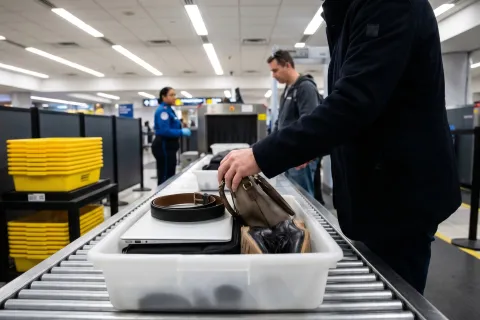
At TSA checkpoints with CT scanners, fully packed expandable carry-ons that cannot fit the tunnel may be hand-inspected, redirected to older equipment if available or checked with the airline.

TSA Considers Water Exception for Some PreCheck Passengers
The proposed exception would apply to PreCheck passengers at airports with suitable CT screening technology; initial participating airports were not identified.

Pilots Urge FAA to Mandate Cockpit Barrier Retrofits
WASHINGTON, United States - ALPA wants the FAA to require cockpit barrier retrofits across existing airline fleets, extending protections already mandated for new aircraft.
About the Author

Mariana Torres
Mariana Torres is South America Editor at Jetsetter Guide, covering backpacking and off-the-beaten-path travel in the Andes and the Amazon.